Calendar and iCal sync
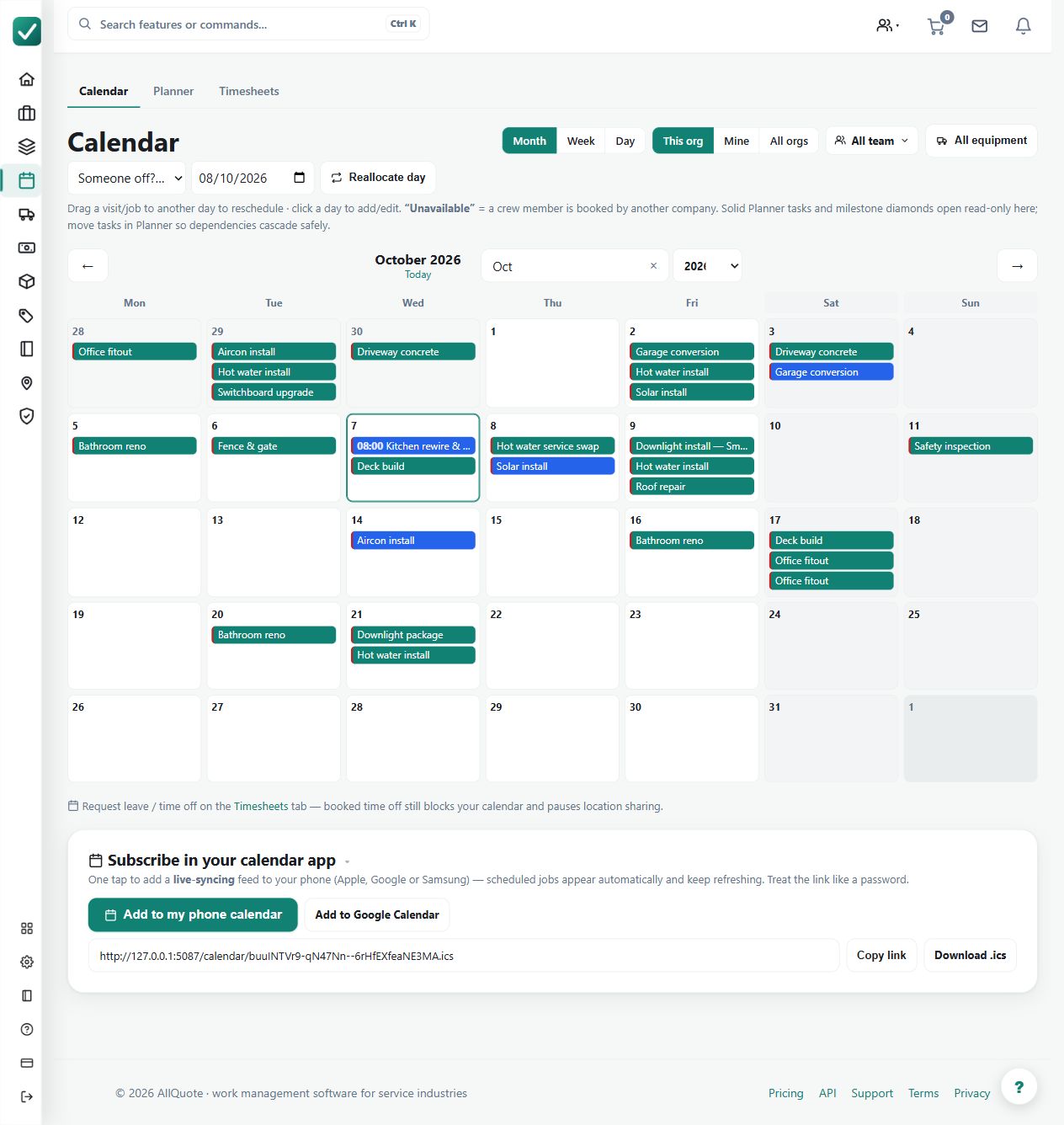
Shows scheduled work in month, week and day views and can expose the schedule to external calendars over iCal where configured.
Use calendar views to inspect scheduled jobs at month, week or day level and expose the supported schedule to an external calendar where configured.
Before you start
Availability: Free plan and above. Enabled business features, role permissions, connected providers and supported devices may add requirements.
Where to find it: Jobs > Calendar > iCal sync.
Confirm job dates and the intended external calendar setup. Keep calendar access appropriate to the business.
Step by step
- Open the jobs calendar at /jobs/calendar.
- Switch between month, week and day views for the period being planned.
- Open a job from the calendar to check or change its schedule.
- Configure iCal sync where an external calendar should carry the AllQuote schedule.
Worked example
Review the week, open a job to change its schedule and check the updated date. Where iCal is configured, confirm what appears in the consuming calendar.
This is an illustrative scenario. Use your own approved scope, quantities, rates and business rules.
Check the result
Compare the AllQuote job record with the calendar view and inspect external refresh behavior separately.
Limits and troubleshooting
An iCal feed is not a promise of instant, two-way scheduling synchronization. The external calendar's refresh behavior and supported configuration affect what appears.
Check current plans and feature availability · Browse every guide