Vector plans: Review surfaces
Extracts named legend surfaces from a vector PDF and creates editable, unpriced areas only after review.
Use Review surfaces when a supported vector PDF contains named surfaces in its legend and the tool offers a reviewable extraction.
Before you start
Availability: Business plan and above. Enabled business features, role permissions, connected providers and supported devices may add requirements.
Documented roles: Owner, Office. A role name alone does not override the permissions set by your business.
Where to find it: Takeoffs > Review surfaces.
Check the file type and legend on the selected page. A PDF can contain a scanned image rather than vector geometry, and a vector drawing may still lack a supported surface legend.
Step by step
- Open a vector PDF page and choose Review surfaces when the plan contains named surfaces in its legend.
- If no named legend surfaces are found, keep measuring manually; Review surfaces does not guess unnamed finishes.
- Compare each extracted legend name with the highlighted regions and reject any incorrect placement.
- Apply only the reviewed surfaces, then check and price the new editable, unpriced areas against the drawing.
Worked example
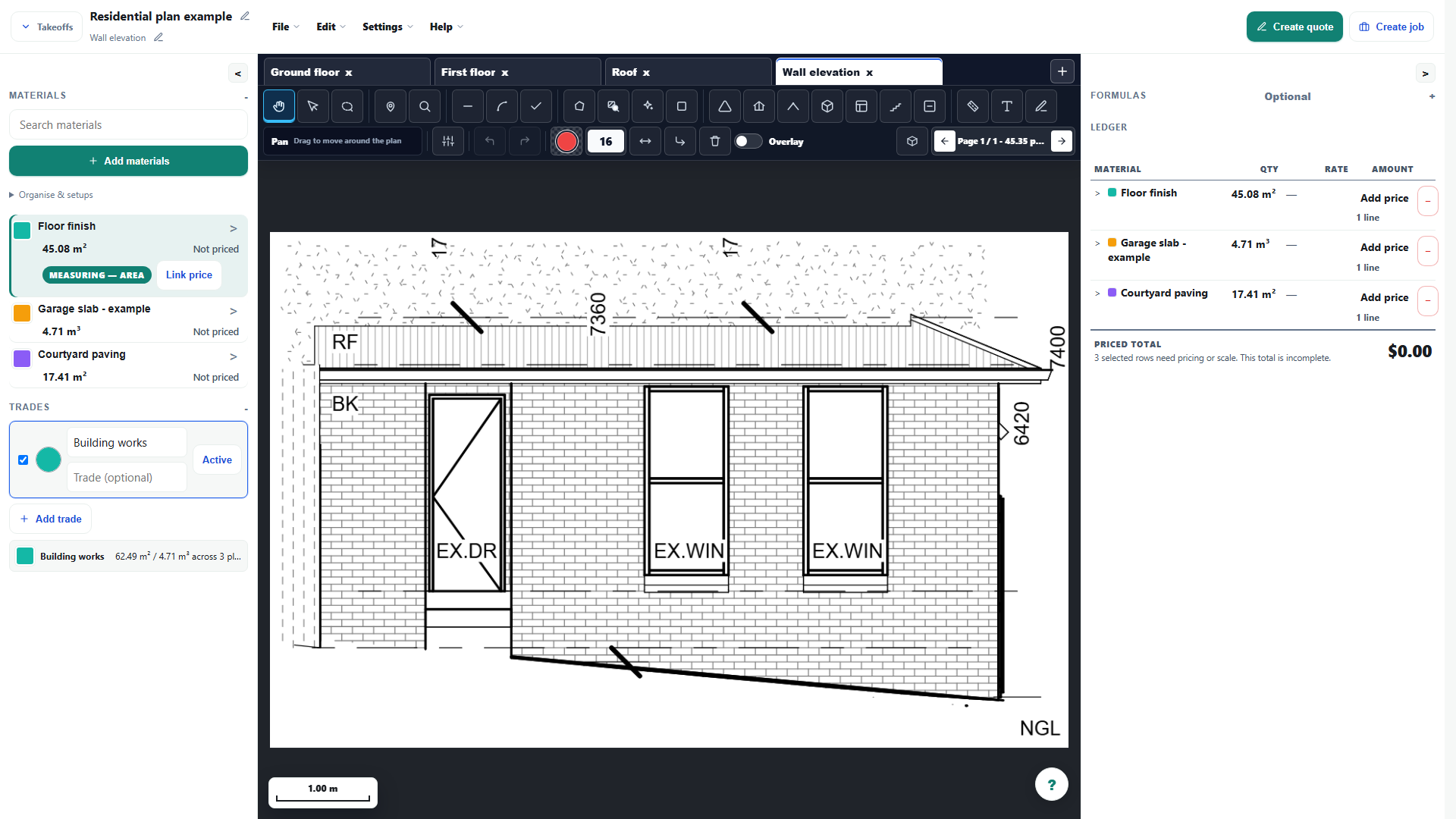
On a suitable finishes drawing, review each extracted named surface before creating editable areas. In the guide's elevation screenshot there is no surface legend, so the documented fallback is manual measurement.
This is an illustrative scenario. Use your own approved scope, quantities, rates and business rules.
Check the result
Check names, boundaries, units and duplicates against the drawing. Created areas remain unpriced until they are mapped or priced and reviewed for the estimate.
Limits and troubleshooting
Review surfaces is conditional, not available on every PDF. Its absence on the illustrated elevation is intentional evidence of that limit; do not treat extraction as automatic material pricing.
Open the complete takeoff walkthrough with volume, formula, assembly and overlay examples
Check current plans and feature availability · Browse every guide