Accountant-grade WIP report
Adds the Business-plan deep WIP view with earned value, forecast, variance and over- or under-billing at an as-at date.
Use the Accountant-grade WIP report for a dated view of earned value, forecast, variance and over- or under-billing.
Before you start
Availability: Business plan and above. Enabled business features, role permissions, connected providers and supported devices may add requirements.
Documented roles: Owner, Office. A role name alone does not override the permissions set by your business.
Where to find it: Money > WIP & job profitability > Accountant-grade WIP report.
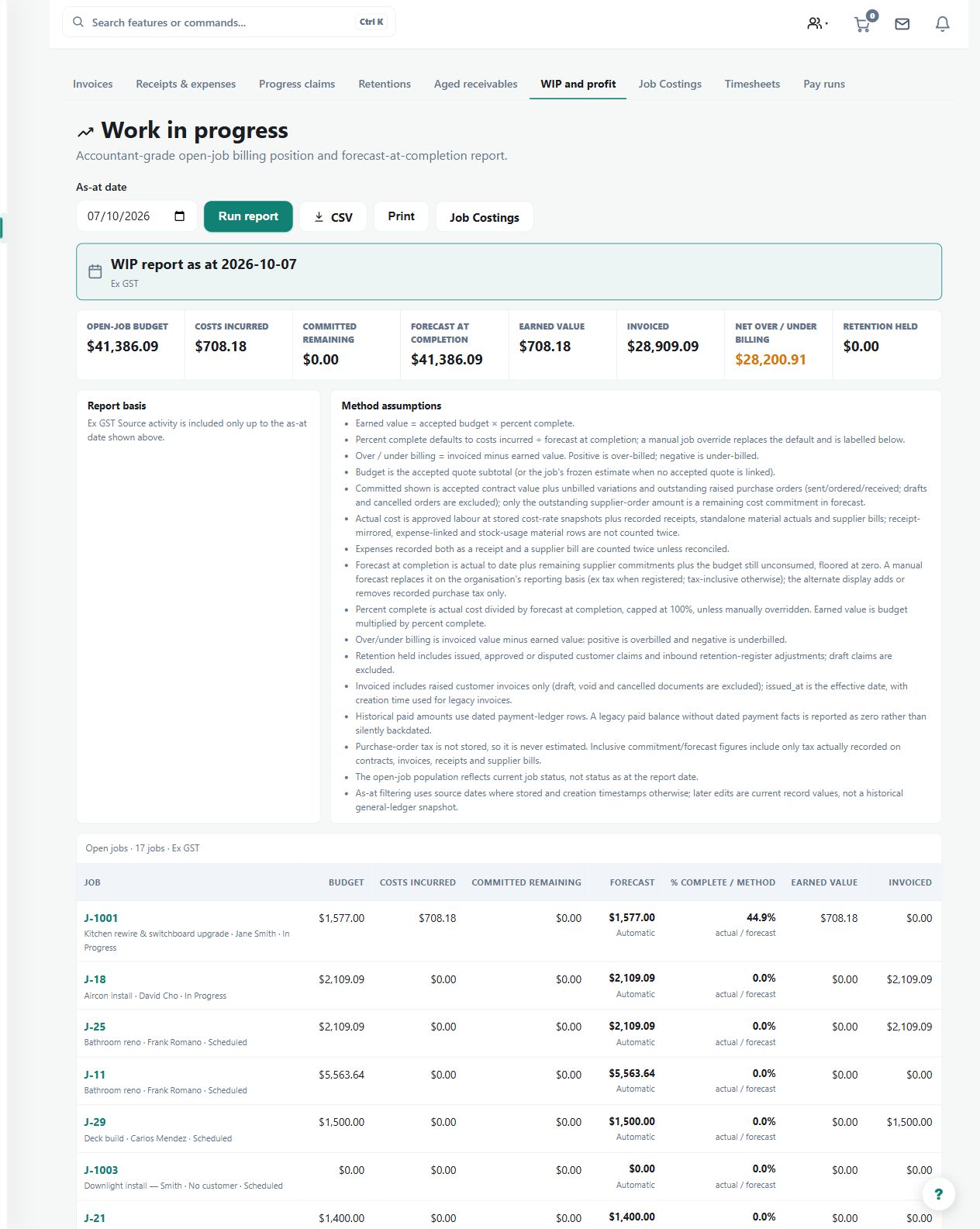
Select the as-at date and check the job budgets, commitments, actual costs and invoiced revenue feeding the report.
Step by step
- On the WIP & job profitability page, choose the Accountant-grade WIP report button, then set the as-at date.
- Review budget, committed and actual costs beside invoiced revenue, earned value and forecast at completion.
- Check variance and over- or under-billing job by job, then open Job Costings when a source figure needs tracing.
- Correct the source job record rather than the report, then refresh or export the updated as-at view.
Worked example
At month end, compare earned value with invoicing for each open project, then open Job Costings to investigate jobs with unexpected over- or under-billing.
This is an illustrative scenario. Use your own approved scope, quantities, rates and business rules.
Check the result
Trace unusual figures to the underlying job records and refresh or export after corrections. Keep the selected date clear when sharing the report.
Limits and troubleshooting
This is different from the current Team WIP dashboard, which has no date control. A report is only as complete as its source records and does not replace the accountant's judgment.
Check current plans and feature availability · Browse every guide