Cost centres
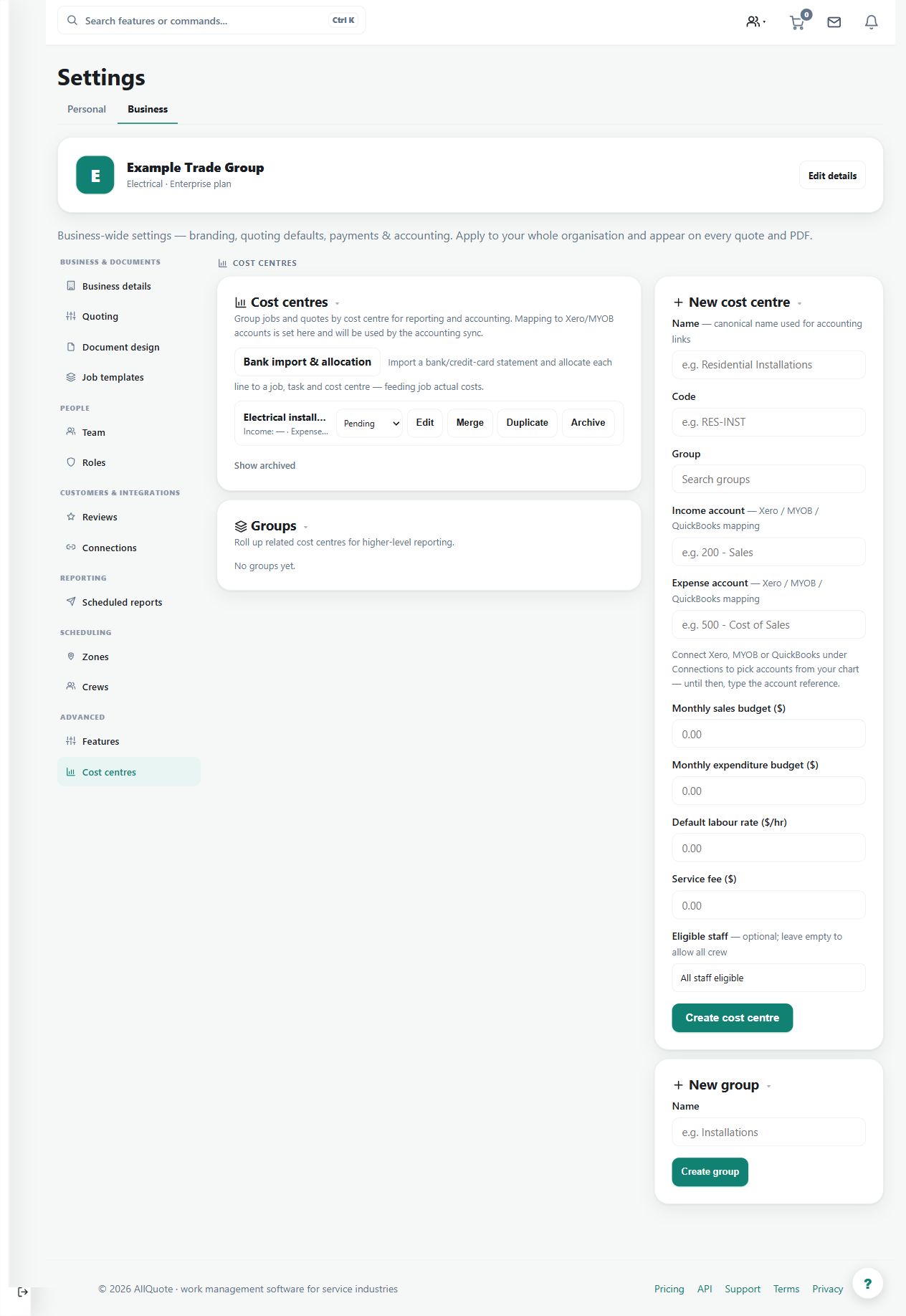
Tracks income and expenditure against named cost centres, maps them to Xero/MYOB accounts, and assigns them to jobs, quotes and imported bank lines.
Use cost centres to organise income and expenditure by the business's reporting structure across jobs, quotes and imported bank lines.
Before you start
Availability: Business plan and above. Enabled business features, role permissions, connected providers and supported devices may add requirements.
Documented roles: Owner, Office. A role name alone does not override the permissions set by your business.
Where to find it: Settings > Business Settings > Cost centres.
Define meaningful centres and groups, and review Xero or MYOB account mapping where connected.
Step by step
- Open Business settings > Cost centres at /group-settings?tab=cost_centres.
- Create the cost centres the business reports on and map each to its Xero/MYOB account where connected.
- Assign cost centres to jobs and quotes so income and costs land against the right centre.
- Allocate imported bank statement lines to job, task or cost centre during bank import review.
Worked example
Tag work for a commercial project's electrical and maintenance divisions with their intended centres, then review bank-import allocation and the related job or quote records.
This is an illustrative scenario. Use your own approved scope, quantities, rates and business rules.
Check the result
Check tags and accounting mappings against the source work. Where a quote supports cost-centre subtotals, inspect the actual customer document.
Limits and troubleshooting
A cost-centre tag is not proof that a financial amount is correct. Customer subtotal presentation depends on supported quote layout and tagging; inspect any reason given for an unavailable subtotal.
Check current plans and feature availability · Browse every guide